Why Look Beyond WordPress?
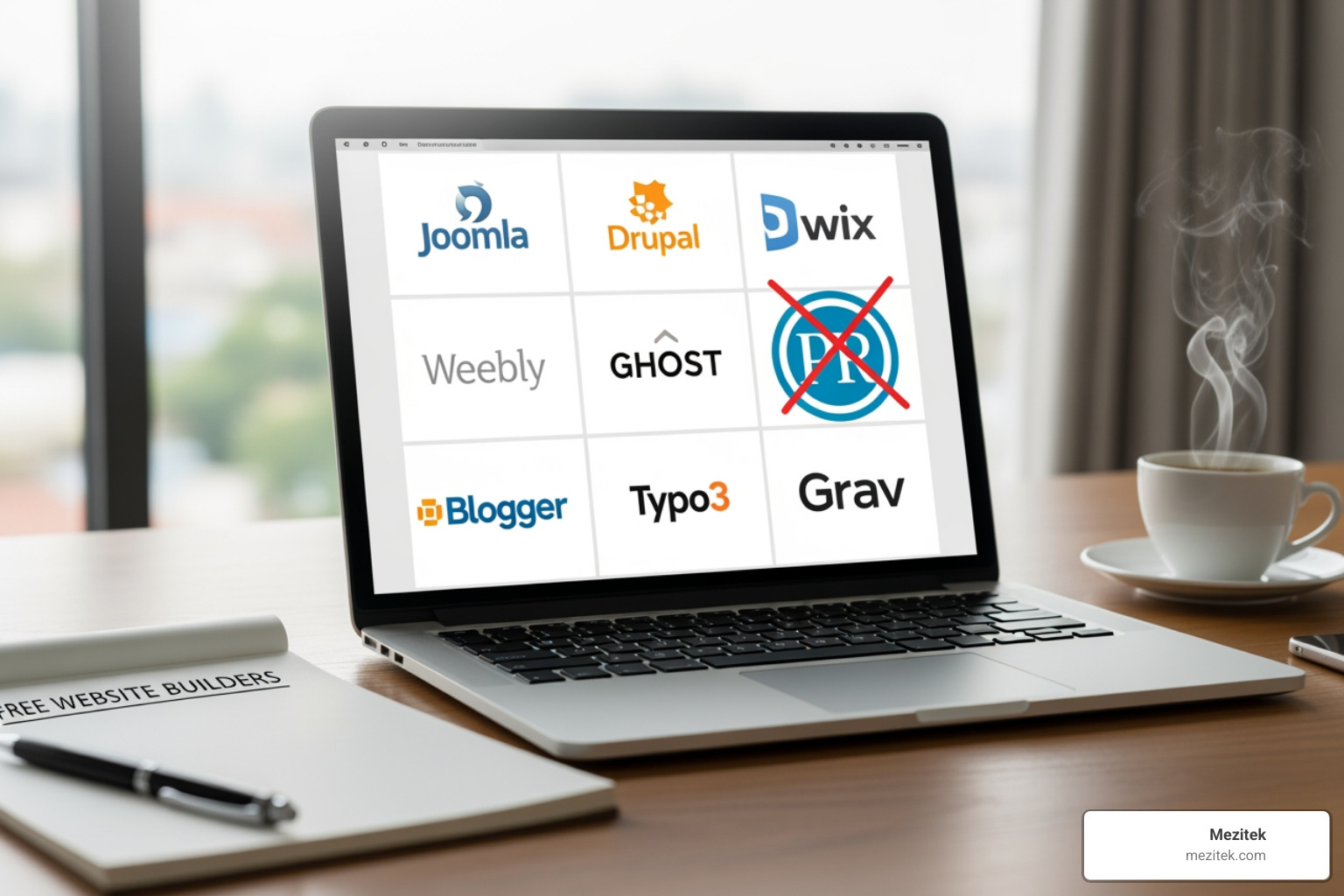
If you’re searching for free alternatives to wordpress, you’re not alone. Here are the top options to consider:
Top Free WordPress Alternatives:
- Wix – Best for beginners with drag-and-drop editor and 800+ templates
- Ghost – Ideal for bloggers and publishers (self-host for free)
- Weebly – Great for simple online stores with built-in eCommerce
- Joomla – Powerful open-source CMS for complex websites
- Medium – Perfect for writers who just want to publish
- Jekyll – Developer-friendly static site generator (completely free)
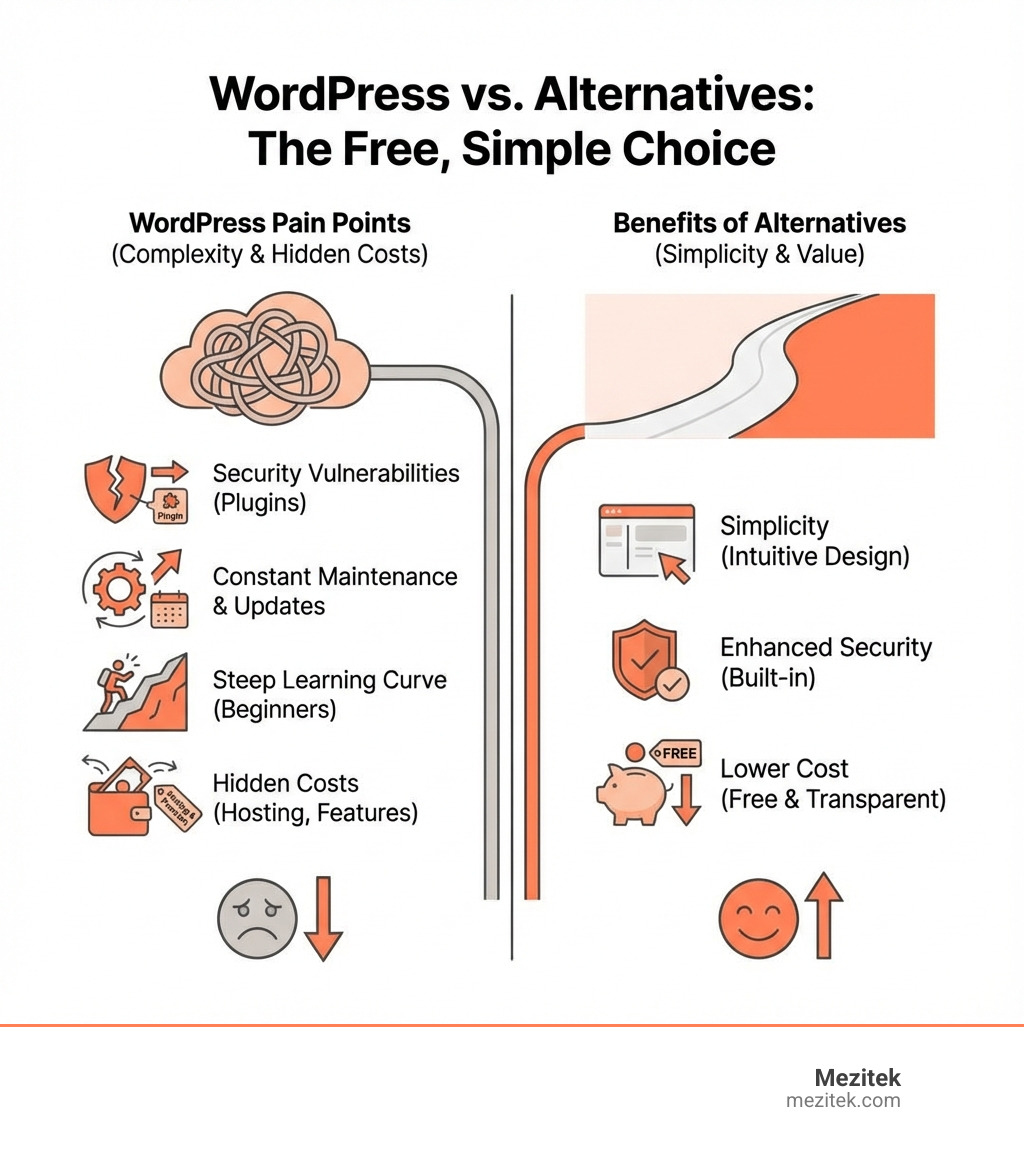
WordPress powers roughly 43% of all websites using CMS technologies. That’s massive. But here’s the thing: dominance doesn’t equal perfect fit.
Many users hit walls with WordPress. The learning curve can be steep, especially if you’re just starting out. Security is another headache–90% of WordPress vulnerabilities are linked to plugins. Then there’s the constant maintenance: updates, backups, compatibility issues. It adds up.
For freelancers and small agency owners, this can mean wasted time. Time you could spend on client work or growing your business.
The good news? There are genuinely solid alternatives that don’t cost a dime upfront. Some are simpler to use. Others are more secure out of the box. A few are specifically built for blogging or eCommerce, which means less bloat.
This guide breaks down the best free options based on what you actually need–whether that’s a simple portfolio, a blog, or an online store. No fluff, just the platforms worth your time.
Find more about free alternatives to wordpress:
Key Features to Consider in an Alternative
When we set out to find the perfect free alternatives to WordPress, we look beyond just the “free” tag. It’s about finding a platform that truly fits your project’s needs, your technical comfort level, and your long-term goals. Here are the key features we consider:
- Ease of Use: This is often the first thing people look for when moving away from WordPress’s complexity. A user-friendly interface, intuitive drag-and-drop builders, and clear content management are crucial, especially for beginners or those who prefer a low-code approach. We want to spend our time creating, not troubleshooting! Platforms like Wix and Weebly excel here.
- Customization Options: While “free” platforms often come with limitations, we still want enough flexibility to make our website unique. This includes access to templates, design tools, and the ability to tweak layouts without needing to dive deep into code. Some alternatives offer robust theme engines, while others might be more rigid.
- Scalability: Will the platform grow with our business or project? What happens when our traffic increases or we need to add new features? While free plans have limits, understanding the upgrade path and how the platform handles growth is vital. Some platforms are inherently more scalable than others, especially open-source CMS options.
- eCommerce Capabilities: For many freelancers and small business owners, selling online is a core requirement. We need to know if the alternative supports online stores, secure payment gateways, product listings, and inventory management, even if it’s on a limited free tier. Platforms like Weebly or dedicated eCommerce solutions offer this directly.
- SEO Tools: Getting found online is non-negotiable. Our chosen alternative should offer decent built-in SEO features or at least allow for easy integration with external SEO tools. Good SEO means more visibility, and who doesn’t want that?
- Maintenance Requirements: One of the big draws of alternatives is reducing the maintenance burden often associated with self-hosted WordPress. We look for platforms that handle updates, security, and backups for us, or those with a very lightweight structure that minimizes ongoing effort.
- Support Options: Even the most intuitive platform can sometimes throw us a curveball. Knowing what kind of support is available–whether it’s community forums, documentation, or direct customer service–can save us a lot of headaches.
- Data Ownership: This is a big one. With hosted free solutions, it’s important to understand who owns our content and how easy it is to export if we ever decide to switch platforms. Open-source, self-hosted options generally offer more control over our data.
Understanding these considerations is key to making an informed decision. For a deeper dive into Content Management Systems, check out our What is a CMS? Content Management Systems Explained guide.
Here’s a quick comparison of some of our top picks based on these criteria:
| Platform | Ease of Use | Best For | Free Plan Limitations |
|---|---|---|---|
| Wix | Very High | Beginners, portfolios, small business sites | Wix subdomain, ads, 500MB storage, 1GB bandwidth, no payments |
| Weebly | High | Simple online stores, visual portfolios | Weebly subdomain, ads, transaction fees on sales |
| Ghost | Medium (self-hosted) | Professional bloggers, content creators, newsletters | Requires technical setup for self-hosting; hosted Ghost Pro is paid |
| Joomla | Medium | Complex websites, community sites, multilingual | Requires self-hosting, steeper learning curve |
| Medium | Very High | Individual writers, content promotion, quick publishing | Limited customization, no custom domain (free), no full CMS features |
| Jekyll | Low (developer) | Developers, tech blogs, personal portfolios (static) | Requires technical knowledge, command line, no admin interface |
Top Free Alternatives to WordPress for Every Need
This section is where we get down to business, breaking down the best free alternatives to WordPress that cater to various needs, perfect for low-code freelancers and small business owners like us.
Wix: The Best User-Friendly Free Alternative to WordPress
When it comes to user-friendliness, Wix is often the first name that comes to mind. It’s an all-in-one platform that makes website building feel less like coding and more like playing with digital LEGOs.
Wix offers an intuitive drag-and-drop editor that allows us to visually design our site without touching a single line of code. It boasts over 800 professionally designed templates, giving us a fantastic starting point for almost any project. If we’re really in a hurry, Wix ADI (Artificial Design Intelligence) can even build a personalized site for us in minutes by asking a few simple questions. This makes it incredibly beginner-friendly, perfect for those who want a professional-looking site without the steep learning curve of WordPress.
The free plan for Wix, while generous, does come with some limitations. Our site will reside on a Wix subdomain (e.g., yourname.wixsite.com), and Wix ads will be displayed on our pages. We’re also limited to 500MB of storage and 1GB of bandwidth. While these are minor trade-offs for a free platform, they’re important to keep in mind for branding and scalability. It’s an excellent choice for personal portfolios, online resumes, or small business sites that need a quick, attractive online presence.
You can explore Wix further and see its capabilities at Wix.
Weebly: A Great Option for Simple Stores
Weebly is another fantastic drag-and-drop website builder that offers a compelling free alternative to WordPress, especially if we’re looking to dip our toes into eCommerce.
The platform provides a free ad-supported version that includes a drag-and-drop interface, making it easy to build pages and customize themes. What sets Weebly apart for many is its ability to offer eCommerce on the free plan. While there are transaction fees, it allows us to showcase products and start selling without upfront costs. We also benefit from unlimited storage, which is a significant perk for visually rich sites or those with many products. All sites are mobile-optimized, ensuring our content looks great on any device.
Weebly is particularly good for creating simple online stores, small business websites, or portfolios where product display is key. If Wix’s interface feels a bit too busy, Weebly often presents a cleaner, more straightforward experience. For more options like these, check out our guide on Sites Similar to WordPress.
You can learn more about Weebly at Weebly.
Ghost: A Focused Free Alternative to WordPress for Bloggers
For serious bloggers, writers, and professional publishers, Ghost offers a sleek, modern, and highly focused free alternative to WordPress. It was specifically designed to strip away the “bloat” that some feel WordPress has accumulated, focusing purely on content creation and audience engagement.
Ghost is open-source, which means we can self-host it for free on our own server. This requires some technical know-how, but it gives us complete control. The platform boasts a clean, distraction-free modern editor that makes writing a joy. It comes with built-in SEO features, which is a huge plus for content creators, and offers integrated membership and subscription features, allowing us to monetize our content directly through paid newsletters and exclusive access.
While Ghost is free if we self-host, its main limitation is that it’s primarily a publishing platform, not a full-blown CMS for complex websites with diverse content types. It’s best suited for professional publishers, online magazines, and content creators who want a fast, clean, and monetization-ready platform. If we’re comfortable with a bit of technical setup, we can set it up on our own server and enjoy a truly powerful blogging experience.
Explore Ghost further at Ghost.
Joomla: The Powerful Open-Source CMS
If we’re looking for a robust, open-source CMS that can handle more complex projects than a simple blog or portfolio, Joomla is a strong contender as a free alternative to WordPress.
Joomla is a self-hosted platform, similar to WordPress.org, meaning we download and install it on our own web server. It stands out with more built-in features right out of the box, such as native multilingual support, which is incredibly useful for global projects. It also offers advanced user management capabilities, allowing for granular control over who can access and edit different parts of our site. While it provides immense flexibility, it does come with a steeper learning curve than WordPress, requiring a bit more technical expertise to get started and manage.
With nearly 6,000 apps available in its extension directory, Joomla can be extended to almost any functionality we might need. This makes it an excellent choice for community sites, government websites, or complex business portals that require diverse content types and intricate user permissions.
You can visit the official Joomla website at Joomla to learn more.
Medium: The Simple Publishing Platform
For writers who simply want to write and be read, without the fuss of website management, design, or hosting, Medium is an incredibly appealing free alternative to WordPress.
Medium is a publishing platform primarily designed for writers and readers. It’s completely free for writers to publish their content. The biggest advantage is its built-in audience of millions of readers, which can help our content get found much faster than on a brand-new, self-hosted blog. It offers a wonderfully simple, clean editor that focuses on the writing experience, free from distractions. We don’t have to worry about hosting, updates, security, or any other maintenance tasks–Medium handles it all.
However, Medium is not a full CMS. Customization is very limited; all articles adhere to Medium’s standardized design. We don’t have a custom domain on the free plan (though paid options exist), and we have less control over our content’s presentation and monetization compared to a self-hosted platform. It’s best for individual writers, journalists, or thought leaders who prioritize content promotion and reaching an existing audience over building a custom brand presence.
Start publishing your thoughts on Medium.
Jekyll: The Developer-Friendly Static Site Generator
For those of us with a bit of technical prowess, Jekyll represents a completely free, open-source, and highly efficient alternative to WordPress. But fair warning: this one’s for the developers!
Jekyll is a static site generator written in Ruby. Instead of relying on a database and dynamic page generation like WordPress, Jekyll takes our content (written in Markdown, Liquid, or HTML) and templates, and generates a complete set of static HTML, CSS, and JavaScript files. This approach leads to incredibly high security and lightning-fast performance, as there are no database queries or server-side scripts to process on each page load.
The catch? It requires technical knowledge, including comfort with the command line and text editors. There’s no graphical admin interface like WordPress. However, for developers, it offers unparalleled control and flexibility. We can even host Jekyll sites for free using GitHub Pages, making it a zero-cost solution for hosting as well. It’s an ideal choice for developer portfolios, tech blogs, documentation sites, or any project where speed, security, and version control are paramount.
Dive into Jekyll at Jekyll.
Free eCommerce-Specific Alternatives
While some of the website builders we’ve discussed offer eCommerce capabilities, sometimes we need a platform built from the ground up for online selling. Here are some dedicated free alternatives to WordPress for building online stores.
OpenCart
OpenCart is a powerful, free, and open-source eCommerce platform specifically designed for building online stores. It’s a self-hosted solution, meaning we download and install it on our own server, giving us complete control over our store.
This platform is laser-focused on eCommerce, offering a comprehensive set of features for product management, order processing, customer management, and marketing tools. It boasts a large extension marketplace where we can find add-ons to further improve our store’s functionality. While it’s free to use the software, it does require a technical setup, including server configuration and database management, making it more suitable for those with some web development experience or a willingness to learn. OpenCart is an excellent choice for small to medium-sized online stores that need a robust, customizable, and scalable eCommerce solution without recurring platform fees.
PrestaShop
Another strong contender in the free, open-source eCommerce space is PrestaShop. Like OpenCart, it’s a self-hosted platform that we download and install, offering a feature-rich environment for building online shops.
PrestaShop is renowned for its strong localization features, supporting multiple languages and currencies, which is fantastic for businesses targeting international markets. It comes with a robust set of eCommerce tools, including an advanced product catalog, order management, customer service features, and a detailed analytics dashboard to track our store’s performance. While it’s free to download and use, it can be resource-intensive, meaning we might need a more powerful hosting plan as our store grows. It’s a solid option for businesses of all sizes looking for a powerful, flexible, and free eCommerce platform that they can fully control and customize.
Frequently Asked Questions about Free WordPress Alternatives
We’ve covered a lot of ground, but you might still have some burning questions. Let’s tackle some of the most common ones about free alternatives to WordPress.
Are free WordPress alternatives truly free?
This is a fantastic question, and the answer, as often happens in the tech world, is “it depends.” Many platforms offer a “free” tier or are open-source.
- Free-tier hosted platforms (like Wix, Weebly, Medium): These are truly free to start, meaning no upfront cost for the software or hosting. However, these free plans typically come with limitations:
- Subdomains: Our site will likely be on their subdomain (e.g.,
yoursite.wixsite.com). - On-site ads: The platform will display its own ads on our site, which we can’t control.
- Limited features: We might face caps on storage, bandwidth, number of products, or miss out on premium features like custom domains, advanced SEO tools, or integrated analytics.
- No payments: Some free plans don’t allow eCommerce transactions.
To remove these limitations, we’d need to upgrade to a paid plan.
- Subdomains: Our site will likely be on their subdomain (e.g.,
- Open-source, self-hosted platforms (like Ghost, Joomla, OpenCart, PrestaShop, Jekyll): The software itself is 100% free to download and use. This is “free as in speech,” but not always “free as in beer.” We’ll still need to factor in:
- Hosting fees: We’ll need to pay for web hosting to put our site online. While there are some truly free hosting providers, they often come with significant limitations or poor performance.
- Domain name costs: A custom domain (e.g.,
yourwebsite.com) will incur an annual registration fee. - Technical expertise: Setting up and maintaining these platforms requires some technical knowledge or the budget to hire a developer.
- Paid add-ons: While the core software is free, we might choose to buy premium themes or extensions to add specific functionality or design elements.
So, while many excellent free alternatives to WordPress exist, it’s crucial to understand the potential hidden costs or limitations that come with truly free options.
Can I build an online store with a free alternative?
Absolutely, you can! Several free alternatives to WordPress are perfectly capable of hosting an online store, especially for those just starting out or with simpler needs.
- Website Builders: Platforms like Weebly offer eCommerce capabilities right on their free plans. This means you can list products, set up a basic storefront, and even process sales. However, be mindful of transaction fees (Weebly often charges a percentage) and limitations on the number of products or advanced features unless you upgrade.
- Dedicated eCommerce Platforms: Open-source solutions like OpenCart and PrestaShop are built specifically for online stores. The software is free to download and use, providing comprehensive eCommerce functionality. However, as self-hosted options, they require us to arrange and pay for our own web hosting.
When considering a free option for an online store, always check:
- Transaction fees: How much will the platform take from each sale?
- Product limits: How many products can we list on the free plan?
- Payment gateways: Which payment processors are supported?
- Scalability: Can the platform handle growth, or will we quickly hit a wall?
For a broader look at various platforms, paid and free, that serve as alternatives, check out our Best WordPress Alternatives.
How do free alternatives compare to WordPress in terms of SEO?
SEO (Search Engine Optimization) is paramount for any website, and thankfully, most free alternatives to WordPress offer decent capabilities, though they approach it differently.
- WordPress’s Strength: WordPress, especially with powerful plugins like Yoast SEO or Rank Math, offers unparalleled control over virtually every SEO aspect. We can fine-tune meta descriptions, schema markup, sitemaps, and more, making it highly customizable for SEO.
- Hosted Website Builders (Wix, Weebly): These platforms often have built-in SEO tools that are very user-friendly. They guide us through optimizing page titles, descriptions, and basic settings. While they might not offer the same granular control as WordPress plugins, they’re often sufficient for most small businesses and ensure our site is findable.
- Publishing Platforms (Medium, Ghost): Ghost has excellent built-in SEO features, specifically designed for content. Medium leverages its domain authority and audience network to help articles rank, but we have less direct control over technical SEO.
- Static Site Generators (Jekyll): These platforms excel in speed, which is a major SEO ranking factor. Because they generate plain HTML files, they are incredibly fast and reliable. While we handle SEO manually in the code, the inherent performance benefits give them a head start.
- Open-Source CMS (Joomla, OpenCart, PrestaShop): These platforms usually come with good built-in SEO options and often have a rich ecosystem of extensions or modules that can add advanced SEO functionality, similar to WordPress plugins.
The main difference often lies in the level of customization and ease of implementation. WordPress offers maximum flexibility for SEO experts, while others provide simpler, built-in solutions. For more insights into how WordPress handles SEO and content, explore our Category: WordPress.
Conclusion: Choosing the Right Platform for You
Navigating the landscape of free alternatives to WordPress can feel like a quest, but we hope this guide has illuminated some excellent paths for you. We’ve seen options ranging from user-friendly drag-and-drop builders like Wix and Weebly to powerful open-source CMS platforms like Joomla, and focused publishing tools like Ghost and Medium, all the way to developer-centric static site generators like Jekyll.
There’s truly no single “best” alternative. The perfect platform is the one that aligns with your specific needs, your technical comfort level, and your vision for future growth.
- For the Beginner or Visual Designer: If ease of use and visual design are your top priorities, and you don’t mind a subdomain or a few ads on a free plan, Wix or Weebly are fantastic starting points.
- For the Dedicated Blogger or Publisher: If your focus is purely on content creation, audience building, and potentially monetization through subscriptions, Ghost (if you’re tech-savvy enough to self-host) or Medium (for zero maintenance) are excellent choices.
- For Complex Projects or Community Sites: If you need a robust, extensible platform with advanced features and are comfortable with a steeper learning curve, Joomla offers immense power.
- For the eCommerce Entrepreneur: For building an online store, Weebly’s free plan can get you started, while OpenCart and PrestaShop offer dedicated, feature-rich self-hosted solutions.
- For the Developer: If you love code, prioritize speed and security, and want ultimate control, Jekyll is your playground.
As a low-code freelancer or small business owner, understanding these diverse options is key to making smart decisions for your own projects or for your clients. Each platform has its strengths and limitations, and choosing wisely can save you time, money, and headaches in the long run.
Ready to dive deeper into content management and website building? Explore more on Content Management Systems with Mezitek’s resources. Happy building!