Why Smart Creators Are Looking Beyond WordPress
Sites similar to WordPress are growing in popularity as creators and small businesses seek simpler, more modern website solutions. While WordPress powers over 43% of all websites, it isn’t the right choice for everyone. Many users are tired of plugin conflicts, constant updates, security headaches, and hidden costs.
Quick Answer: Top WordPress Alternatives for 2025
- Webflow – Best for designers and agencies needing visual control without code
- Squarespace – Best for creatives and small businesses wanting all-in-one simplicity
- Wix – Best for beginners seeking drag-and-drop ease and AI assistance
- Shopify – Best for online stores and e-commerce focus
- Ghost – Best for bloggers, publishers, and membership sites
The truth is, WordPress wasn’t built for the modern web, and its interface can feel clunky compared to today’s drag-and-drop builders.
The Hidden Burden of WordPress
The true cost of WordPress often appears mid-project. Users are responsible for backups, security, speed optimization, and plugin conflicts. In contrast, hosted website builders handle this technical maintenance, letting you focus on your actual work.
For freelancers and agencies, time is money. Hours spent on WordPress troubleshooting are hours not spent billing clients or growing the business.
This guide will walk you through the best alternatives to WordPress in 2025, helping you find a platform that matches your skills and goals—without the maintenance headaches.
Why Consider Moving Away from WordPress?
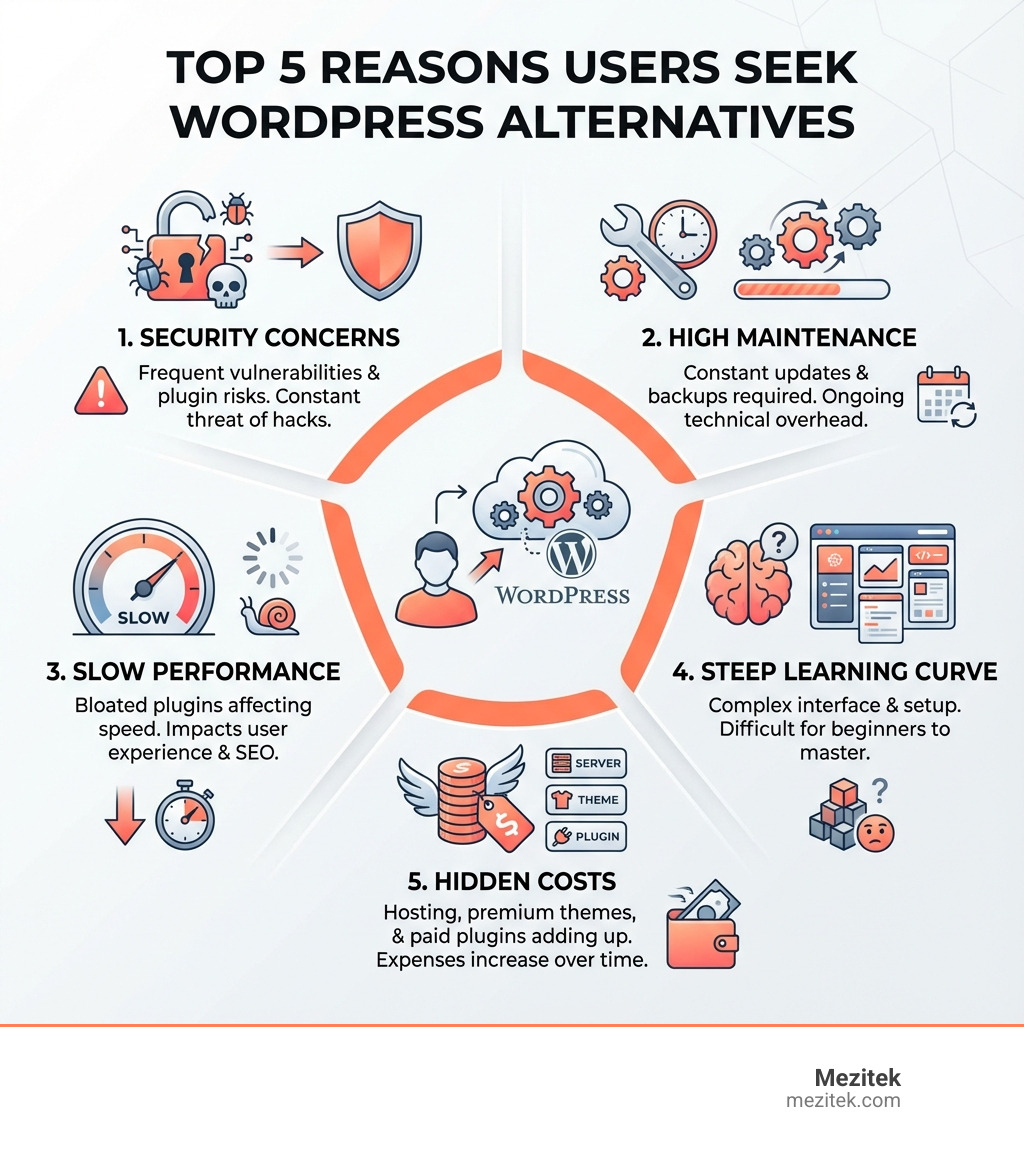
WordPress is a giant, powering over 43% of all websites. Its flexibility and vast community are impressive, but that power often comes with a hidden cost – what we call the “WordPress Tax.”
For many, the initial allure of WordPress’s “free” nature fades when faced with its realities. Here are the main reasons people look for sites similar to WordPress:
- Complexity and Steep Learning Curve: Despite improvements, WordPress can be intimidating for beginners. The setup process—involving hosting, installation, and navigating countless themes and plugins—has a steep learning curve. Its interface often feels clunky compared to modern drag-and-drop builders.
- Maintenance Overload: WordPress puts the responsibility for maintenance on you. This includes managing backups, security updates, software compatibility, and troubleshooting plugin conflicts. This constant “babysitting” consumes time that could be spent on your business.
- Performance Issues: A WordPress site can be fast, but it requires extra effort. Too many plugins, especially poorly coded ones, cause bloat and slow load times, which hurts user experience and SEO.
- Security Vulnerabilities: As the most popular CMS, WordPress is a major target for hackers. While the core is secure, outdated plugins or themes create vulnerabilities. Staying on top of security patches is a constant, often stressful, battle.
- Hidden Costs: The “free” aspect of WordPress is misleading. A professional site requires investment in:
- Reliable hosting: $5 to $30+ per month.
- A custom domain name: Around $10-15 per year.
- Premium themes: $50-100+ for a one-time purchase or subscription.
- Paid plugins: For essential functions like advanced SEO, e-commerce, or security.
- Developer fees: For troubleshooting or custom features.
These costs add up, often making “free” WordPress more expensive than all-in-one platforms with predictable pricing.
If you find yourself nodding along to these pain points, it’s a clear sign that exploring alternative Content Management Systems is the right move. Modern solutions are designed to be more user-friendly and secure, letting you manage your online presence with less fuss.
Modern Approaches to Website Building for Low-Code Creators
The landscape of website building has evolved. For low-code creators, there are now many fantastic sites similar to WordPress that cater to specific needs without requiring deep technical knowledge. These platforms handle the complexities of hosting, security, and updates, freeing you to focus on your work.
Visual Design Tools for Professionals

If you’re a designer or agency craving pixel-perfect control without wrestling with code, visual design tools like Webflow are a game-changer. It’s a visual platform that lets you build custom websites without writing code, combining design flexibility, a CMS, and fast hosting in one place. Its rising popularity among professionals is a clear sign of its significant market growth.
Why Webflow is a strong alternative:
- Visual Editing & No-Code/Low-Code: Webflow’s powerful visual canvas allows for granular design control directly in the browser, similar to design software. You can create custom designs without writing code.
- Clean Code Output: Webflow generates clean, semantic HTML, CSS, and JavaScript, which is crucial for performance and SEO.
- Integrated CMS: Its native CMS is powerful for managing dynamic content, handling structured data and user access without external plugins.
- Built-in Hosting & Performance: As an all-in-one solution, Webflow provides fast, reliable global hosting, which boosts user experience and SEO while eliminating hosting configuration headaches.
- Strong SEO Control: It includes robust, built-in SEO tools. The platform’s clean code and fast performance also contribute to better search rankings.
- Scalability: Webflow is built for growth, scaling from simple landing pages to complex enterprise websites without technical limitations.
Considerations: While powerful, Webflow has a steeper learning curve than basic builders. It’s best for those who value design control and are willing to invest time in learning the platform. Paid plans start from $14/month.
All-in-One Platforms for Creatives & Small Businesses
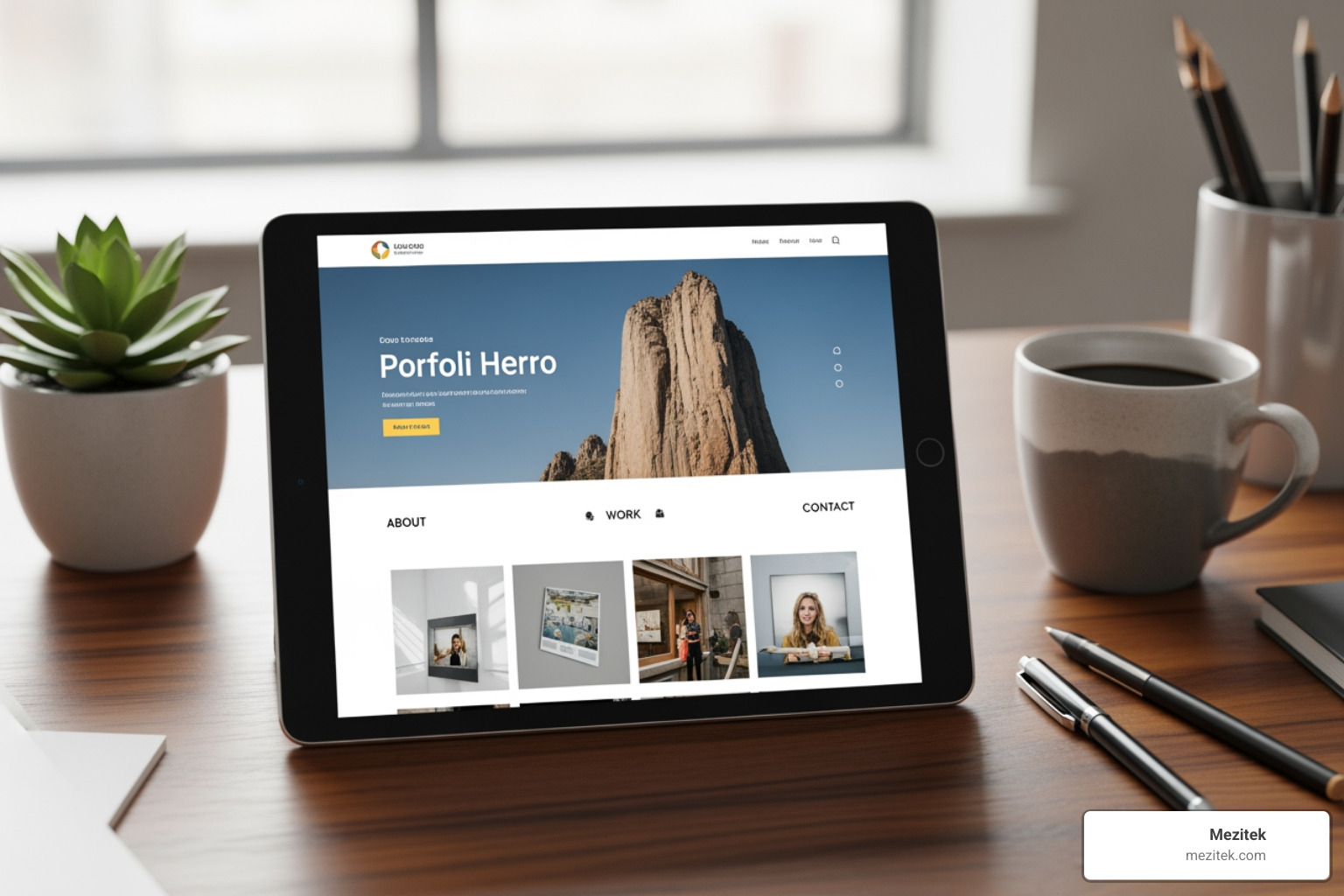
For creatives and small businesses who prioritize beautiful design and a hassle-free experience, platforms like Squarespace are a fantastic choice. Squarespace is known for its clean templates and all-in-one approach, helping people build polished sites quickly.
Why Squarespace stands out:
- Ease of Use: Squarespace is praised for its intuitive interface and streamlined setup, which users find significantly faster and simpler than WordPress.
- Award-Winning Templates: It offers a curated selection of high-quality, mobile-responsive templates that ensure a professional look out of the box.
- Drag-and-Drop Editing: Its Fluid Engine editor allows for flexible, drag-and-drop customization of templates without coding skills.
- Built-in Marketing & E-commerce: Squarespace comes with integrated marketing tools, analytics, and e-commerce, so you don’t need to hunt for plugins for basic functionalities.
- All-in-One Solution: Squarespace handles hosting, security, and updates, reducing the maintenance overhead compared to a self-hosted WordPress site.
- Pricing: Plans start from $16/month, with business plans around $23/month. This predictable cost covers everything you need.
Considerations: Squarespace excels in design and ease of use, but customization can be more limited than platforms like Webflow. It’s ideal for those happy to work within its framework.
Beginner-Friendly Website Builders
For those new to website building, platforms like Wix, Yola, and Google Sites are excellent choices. These sites similar to WordPress are designed to be incredibly user-friendly, often featuring drag-and-drop interfaces and AI assistance.
Wix:
- Design Freedom: Wix is a drag-and-drop builder that makes it easy for anyone to create a site without coding. It includes templates, apps, hosting, and a beginner-friendly visual editor.
- AI-Powered Setup: Wix offers an AI-powered builder that helps you create a site quickly by answering a few questions.
- Extensive Features: It offers multilingual capabilities, blogging tools, and an e-commerce dashboard. You can even import your WordPress blog to Wix.
- Pricing: A free plan is available, and paid plans start at $17/month.
Yola:
- No-Fuss & Easy to Use: Yola is a simple platform with an extensive block library, making it easy to assemble a professional-looking site. A great feature is the ability to switch templates without losing content.
- Pricing: Yola offers a free plan, with paid plans starting at $6.95/month.
Framer:
- Impressive AI: Framer stands out with its AI capabilities for generating website designs from prompts. It’s a design-first platform focusing on interactive and modern websites.
- Pricing: A free plan is available for hobby projects, and paid plans start from $5/month.
Google Sites:
- Completely Free & Integrated: As one of the best free WordPress alternatives, Google Sites is the epitome of simplicity. It integrates seamlessly with other Google services like Drive and Calendar and requires no coding knowledge.
E-commerce Solutions for Online Stores
When your primary goal is selling online, a dedicated e-commerce platform like Shopify is often superior. Shopify powers over 4.5 million live websites and holds a significant share of the global eCommerce platform market.
Why Shopify is the go-to for online stores:
- Built for E-commerce: Shopify is designed specifically for selling. It provides all the tools to manage products, payments, inventory, and shipping in one place.
- Scalability: From startups to large enterprises, Shopify is built to scale with your business, handling high traffic and large product catalogs with ease.
- Ease of Use: Shopify is known for its quick setup and excellent onboarding, making it easy for beginners to launch a store.
- Extensive App Integrations: Its app store has over 8,000 apps to extend functionality for marketing, customer service, and more.
- Secure Payment Processing: Shopify Payments simplifies transactions, and the platform is PCI compliant, ensuring a secure environment.
- Pricing: Shopify starts at $29/month for basic features.
Considerations: Shopify is highly specialized for e-commerce. If you don’t need an online store, it’s not the right choice.
Modern Blogging & Publishing Platforms
For content creators who want to focus purely on their message, modern publishing platforms offer compelling alternatives. These sites similar to WordPress often prioritize speed, clean design, and monetization.
Ghost:
- Content-Focused Design: Ghost is a clean, fast, and distraction-free platform built for publishing, blogging, and newsletters.
- Performance & Speed: Built on NodeJS, Ghost is optimized for performance, which is a significant advantage for reader experience and SEO.
- Built-in Monetization: Ghost excels at enabling creators to monetize content through paid memberships and newsletters with integrated tools.
- Open-Source & Flexible: Ghost is open-source and can be self-hosted. For a hassle-free experience, Ghost Pro (their hosted version) starts from $9/month.
- Minimalist Editor: Its streamlined editor allows you to focus on writing without excessive options.
Other Publishing Platforms:
- Medium: A simple, community-driven platform focused purely on writing and sharing articles. It’s free to use and has a built-in audience.
- Blogger: A free service by Google that offers essential blogging features, templates, and the option to use a custom domain.
- Tumblr: A free platform that combines blogging with social features, popular among artists and creative writers.
How to Choose the Right Website Platform for You
Choosing the right website platform is like choosing the right tool for a job. The decision hinges on several key factors. Our goal is to help you find a platform that empowers you, not frustrates you.
Here’s a comparison of key features to consider when looking at sites similar to WordPress:
| Feature Category | WordPress (Self-Hosted) | Hosted Website Builders (Wix, Squarespace, Shopify) | Visual Design Tools (Webflow) | Modern Blogging Platforms (Ghost) |
|---|---|---|---|---|
| Ease of Use | Moderate to High (steep learning curve for full potential) | Very High (drag-and-drop, AI assistance, intuitive) | Moderate to High (visual but powerful, steeper learning curve than basic builders) | Moderate (clean editor, but self-hosting requires technical know-how) |
| Best For | Highly customizable sites, complex functionalities, blogs (with plugins) | Beginners, small businesses, creatives, portfolios, simple e-commerce | Designers, agencies, custom websites, high-performance marketing sites | Bloggers, writers, publishers, membership sites, newsletters |
| Pricing Model | “Free” software, but ongoing costs for hosting, domain, premium themes, plugins, security, developer fees. | Predictable monthly/annual subscriptions (includes hosting, features, support). Free plans often available. | Free plan (limited), paid plans from $14/month (includes hosting, CMS, design tools). | Free (self-hosted), paid plans from $9/month (Ghost Pro, includes hosting). |
| Maintenance Level | High (manual updates, security, backups, plugin conflicts) | Low (platform handles hosting, security, updates, backups) | Low (platform handles hosting, security, updates) | Low (Ghost Pro), High (self-hosted – requires server management) |
| Hosting | Self-hosted (requires external hosting provider) | Included | Included | Self-hosted (requires external hosting provider) or Included (Ghost Pro) |
| Flexibility | Very High (via plugins, custom code) | Moderate (within platform’s design system) | High (pixel-perfect visual design, custom code options) | Moderate (focused on content, less on visual design customization) |
| SEO Capabilities | Good (with plugins), but can be hampered by poor performance/bloat | Good (built-in tools, good performance) | Excellent (clean code, fast hosting, strong built-in tools) | Excellent (clean code, fast performance, content-focused) |
| Scalability | High (but requires ongoing optimization and management) | Moderate to High (depends on platform, but generally good for SMBs) | Very High (built for enterprise-level sites) | High (especially for content and memberships) |
Key considerations when making your choice:
- Hosted vs. Self-Hosted: This is a fundamental decision.
- Self-hosted (like WordPress.org or self-hosted Ghost): Offers maximum control but requires technical skill, time for maintenance, and separate hosting/domain costs.
- Hosted (like Wix, Squarespace, Webflow, Ghost Pro): An all-in-one solution where the platform handles the backend. This means less maintenance, better security, and predictable costs, freeing up your time.
- Ease of Use vs. Flexibility: Consider the trade-off. Simple builders are easy but less customizable, while powerful platforms like Webflow have a steeper learning curve. Assess how much control you really need.
- Budget Considerations: Think about the Total Cost of Ownership (TCO). A slightly higher monthly fee for an all-in-one solution can be cheaper than the accumulating “WordPress Tax.”
- Your Primary Goal: What kind of website do you need? A blog (Ghost), an online store (Shopify), a portfolio (Squarespace), or a custom business site (Webflow)?
- Long-Term Scalability: Will the platform grow with your business? Ensure it can handle increased traffic and expanded needs without forcing a costly migration later.
The “best” choice among sites similar to WordPress depends on your unique circumstances. For a more in-depth comparison, you can always refer to our Best WordPress Alternatives guide.
Frequently Asked Questions about Moving Beyond WordPress
We often hear similar questions from freelancers and small business owners contemplating a move away from WordPress. Let’s tackle some of the most common ones.
What is the easiest alternative for beginners?
For beginners, the easiest alternatives are all-in-one hosted platforms with intuitive drag-and-drop editors. They handle all technical setup, so you can focus on content and design.
Platforms like Wix and Squarespace are top choices. Wix provides an easy drag-and-drop experience with AI assistance, making it highly accessible. Squarespace offers professional templates and a very streamlined setup. For simpler needs, Yola and Google Sites are also great, user-friendly options.
The key is that these platforms eliminate the need for external hosting, manual updates, and plugin management, which are common problems for new WordPress users.
Which website platforms are best for SEO?
Good SEO involves technical health, content, and performance. While WordPress can be optimized, it often suffers from bloat. Many modern alternatives offer better performance and strong built-in SEO tools out of the box.
- Webflow: Generates clean, semantic code and offers incredibly fast hosting. It provides robust built-in SEO tools, and its speed is a huge advantage.
- Ghost: As a lightweight, content-focused platform, Ghost is inherently fast. Speed is a critical SEO factor, and it also includes built-in SEO features.
- HubSpot CMS Hub: Designed for marketers, this platform has a strong focus on SEO and business growth, offering real-time SEO recommendations and deep integration with marketing tools.
While the platform provides the tools, your content strategy and optimization efforts will have the biggest impact on your SEO success.
Are modern website platforms cheaper in the long run?
Often, yes, especially when you consider the Total Cost of Ownership (TCO).
The “free” allure of WordPress is deceptive. The core software is free, but you will incur ongoing costs for hosting, a domain name, premium themes, paid plugins, and potentially developer fees. Your time spent on maintenance is also a hidden cost.
In contrast, most modern hosted platforms (Wix, Squarespace, Webflow) offer predictable monthly or annual subscription fees. These fees typically include hosting, security, updates, core features, and customer support.
Though a hosted platform’s subscription fee may seem higher initially, it’s often more cost-effective long-term when you account for WordPress’s hidden costs and the value of your saved time. For freelancers and small businesses, this predictability is invaluable.
Conclusion: Find Your Perfect Website Platform
Choosing a website platform can be overwhelming, but finding a site similar to WordPress that meets your needs without the headaches is achievable. As we’ve explored, the best alternative depends on your goals, skills, and budget.
For low-code creators, moving from WordPress can be liberating. It means less time on technical issues like plugin conflicts and security updates, and more time focused on creating content and growing your business. This is the promise of modern website alternatives.
Whether you need the design control of Webflow, the simplicity of Squarespace, the e-commerce power of Shopify, or the publishing focus of Ghost, there is a platform designed to empower you. Our mission at Mezitek is to help you build and manage websites with less code and more confidence. Choosing the right tool is the first, crucial step.
Ready to dive deeper into content management? Explore more on Content Management Systems and find the perfect fit for your next project.