Why Optimize Website for Conversion Matters for Your Business
Optimize website for conversion is the process of improving your website so more visitors take the actions you want—whether that’s buying a product, signing up for a newsletter, or booking a consultation. Instead of just driving more traffic, conversion optimization helps you get better results from the visitors you already have.
Quick Answer: To optimize your website for conversion, focus on these proven strategies:
- Improve page speed – Sites loading under 3 seconds keep visitors engaged
- Simplify navigation – Make it easy for users to find what they need
- Add clear CTAs – Use action-oriented buttons that stand out visually
- Build trust – Display testimonials, reviews, and security badges
- Optimize for mobile – Over 50% of web traffic comes from mobile devices
- Reduce form fields – Only ask for essential information
- Use social proof – Show real customer success stories
- Test everything – Run A/B tests to find what works best
Here’s the reality: the average website converts only 2-4% of visitors. That means for every 100 people who visit your site, 96-98 leave without taking action. But top-performing websites achieve conversion rates of 11% or higher. The difference? They’ve optimized their websites for conversion.
For freelancers and small agencies building websites for clients, understanding conversion optimization isn’t optional—it’s essential. Your clients don’t just want a pretty website. They want a website that generates leads and drives sales. When you deliver results like that, you become invaluable.
The good news is that conversion optimization doesn’t require expensive tools or complex coding. Small, strategic changes—like improving your call-to-action buttons, speeding up your pages, or simplifying your checkout process—can dramatically increase results.
This guide will walk you through everything you need to know about conversion rate optimization (CRO). We’ll cover the fundamentals, core strategies, advanced tactics, and specialized techniques for both eCommerce and lead generation sites. By the end, you’ll know exactly how to turn more visitors into customers.
Understanding the Fundamentals of Conversion
Before we dive into the “how,” let’s clarify the “what” and “why” behind website conversions.
What is a Website Conversion?
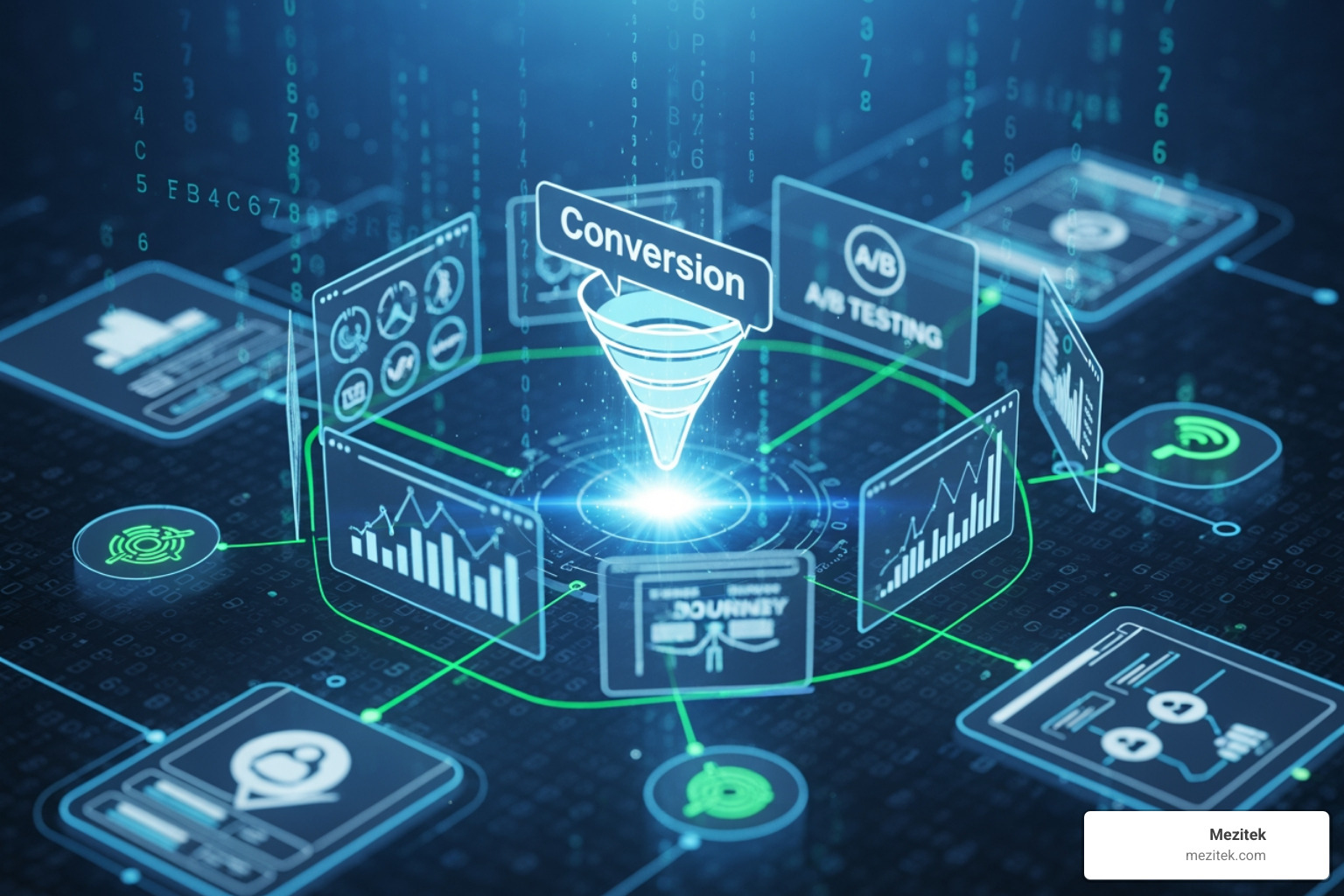
A website conversion happens when a visitor on your site takes an action that aligns with your business goals. According to Google, a conversion is when a user takes a desired action on a website. It’s not always about making a sale—it could be signing up for a newsletter, downloading a resource, or filling out a form. These actions represent progress in your customer’s journey and are critical for business growth.
Why is this important for businesses? Quite simply, website conversions directly impact your business’s success. They tell us how well our site fulfills its purpose, whether it resonates with visitors, what’s working, and where improvements are needed. Without conversions, a website is just a digital billboard; with them, it’s a powerful business tool.
Micro vs. Macro Conversions
When we talk about conversions, we often think of the big win – the sale! But the journey to that big win is paved with smaller, equally important actions. These are known as micro and macro conversions.
Micro-conversions are small, incremental actions visitors take that indicate interest or engagement, serving as steps toward larger goals. Think of them as breadcrumbs leading to the feast. Macro-conversions, on the other hand, are the primary goals of your website—the big actions that directly align with your business objectives and revenue.
Here’s a quick comparison:
| Micro-conversions (Engagement & Intent) | Macro-conversions (Primary Business Goals) |
|---|---|
| Video view | Product purchase |
| Social share | Service subscription |
| Adding an item to cart | Demo request |
| Newsletter sign-up | Contact form submission |
| Ebook download | Booking a consultation |
| Page views (specific pages) | Account creation |
Understanding both types helps us map the user journey and identify bottlenecks.
How to Calculate Your Conversion Rate
Calculating your conversion rate is straightforward. It’s the percentage of total users who take a desired action on your website.
The formula is:
Conversion Rate = (Number of Conversions / Total Number of Visitors) x 100%
For example, if 50 people complete a form on your website out of 1,000 visitors, your conversion rate for that form is (50 / 1,000) * 100% = 5%.
Tracking key performance indicators (KPIs) and using analytics tools (like Google Analytics) make this process much easier. These tools allow us to measure various metrics, including conversion rate, bounce rate, average session duration, and form completion rates, providing crucial insights into user behavior.
What’s a Good Conversion Rate? Industry Benchmarks
What’s considered a “good” conversion rate? It’s a common question, and the answer often is, “it depends!” A good conversion rate typically ranges between 2% and 5%, but it varies significantly by industry, traffic source, target audience, and even the type of conversion.
Here are some benchmarks to give you a sense of perspective:
- The average eCommerce conversion rate across industry verticals is only between 2 and 4%. For every 100 shoppers that visit your site, only three will make a purchase.
- Across all industries, the average conversion rate is 2.35%; 2-3% is acceptable for most websites.
- Top-performing websites achieve 11% or more in conversion rates. Imagine the impact of turning 11 out of 100 visitors into customers!
- The Food & Beverage industry often sees the highest conversion rate among all sectors at 7.90%.
- For B2B, Professional services have the highest conversion rate at 4.60%, while the industrial niche leads in form conversion rates at 2.80%.
These figures highlight that while there are general averages, your specific industry and business model will heavily influence what you consider a successful conversion rate. The goal isn’t just to hit an average, but to continually improve your own rates.
Core Strategies to Optimize Website for Conversion
Now that we understand the fundamentals, let’s explore the core strategies we can use to optimize website for conversion. These are foundational elements that create a positive user experience and guide visitors toward taking action.
Improve User Experience (UX) and Site Navigation
A frictionless user experience is paramount for conversions. If visitors can’t easily find what they’re looking for, they’ll leave. It’s like trying to steer a maze blindfolded – frustrating!
- Logical Categories and Clear Labels: Organize your content and products into intuitive categories with clear, descriptive labels. This helps users quickly understand your offerings.
- Search Bar Functionality: For websites with a lot of content or products, a prominent and effective search bar is crucial. Research by Forrester Research found that almost 43% of web users head straight to the search bar. This increases their chances of conversion by 2-3 times. Apps like Searchanise can add predictive results, helping customers find items faster.
- Simplified Navigation: Streamline your navigation menus. Too many options can overwhelm users. We recommend using logical categories and sparing dropdowns. Our guide on Best Practices for Website Architecture can help you structure your site effectively.
- Mobile Responsiveness: We’ll dive deeper into this later, but ensuring your site adapts seamlessly to all screen sizes is non-negotiable. A responsive design maintains functionality and usability across devices, reducing bounce rates. For those building sites for clients, ensuring a solid foundation is key, and our guide on How to Build a Website offers a great starting point.
Build Trust with Social Proof, Testimonials, and Guarantees
Trust is the currency of online business. Without it, visitors won’t convert. We need to actively build credibility.
- Customer Reviews and Testimonials: Showcase authentic feedback from satisfied customers. Social proof, like testimonials, can increase conversion rates by 34%. Northwestern University research suggests customer reviews can increase conversion rates by as much as 270%.
- Case Studies: For service-based businesses, detailed case studies demonstrating how you’ve solved problems for others are incredibly powerful.
- Trust Badges and Security Seals: Display security icons like SSL certificates, payment provider logos, and other trust seals, especially on checkout pages. One study found that 18% of consumers abandoned a purchase at checkout because they did not trust the site with their credit card info. These badges reassure visitors that their information is safe.
- Money-Back Guarantees and Risk Reversal: Offering guarantees (e.g., “30-day money-back guarantee,” “free trial”) reduces the perceived risk for the customer. This can significantly increase conversions by removing a major barrier to purchase.
Design High-Impact Calls to Action (CTAs)
Calls to Action are the gateways to conversion. They tell visitors exactly what to do next.
- Action-Oriented Language: Use strong, clear verbs like “Shop Now,” “Get Your Free Guide,” “Book a Demo,” or “Start Your Free Trial.”
- Visual Contrast and Prominent Placement: CTAs should stand out. Use contrasting colors to make them pop. Place them strategically where users naturally look, often “above the fold” (visible without scrolling) and at logical points in the content. CTAs are where the magic happens.
- A/B Testing CTAs: Don’t guess which CTA works best. Test different wording, colors, sizes, and placements. For example, a travel company famously cut one word and added two new ones to their CTA, resulting in a 104% month-over-month increase in their homepage conversion rate. Even updating a login CTA from an icon to text can increase logins and orders, as seen in a case study.
- Button vs. Text-Based CTAs: While prominent buttons are great, text-based CTAs within content can also be highly effective, especially in blog posts.
Craft Persuasive Copy and High-Quality Media
Your website’s words and visuals are your digital salespeople. They need to be compelling.
- Value Proposition and Unique Selling Point (USP): Clearly articulate what makes your offering special and why it matters to your customer. Your value proposition should be evident in your headlines and copy, ideally summarized in 10 words or less.
- Benefit-Driven Headlines: Focus on the benefits your product or service provides, not just its features. How does it solve a problem or improve the user’s life?
- Professional Images and Engaging Videos: Visual content grabs attention and conveys messages efficiently. Use high-quality images and engaging videos to showcase your products or services. You can even embed Instagram feeds on your website for dynamic, user-generated visuals. Pages that include real photos of people, products, or services in action tend to perform better.
- Storytelling: Weave compelling narratives that resonate with your audience’s pain points and aspirations. This helps users connect emotionally with your brand.
Advanced CRO Tactics and Data-Driven Optimization
Once the fundamentals are in place, we can employ more advanced tactics and leverage data to truly optimize website for conversion.
Leverage Website Analytics and User Feedback
Data is our superpower in CRO. It tells us what’s working, what’s not, and most importantly, why.
- Heatmaps and Session Recordings: Tools like Lucky Orange or Hotjar allow us to visualize user behavior. Heatmaps show where users click, move their mouse, and scroll, revealing areas of interest or neglect. Session recordings let us watch anonymized user journeys, providing invaluable qualitative insights into points of confusion or frustration.
- User Surveys and Polls: Don’t be afraid to ask! On-site surveys and polls can gather direct feedback on user experience, pain points, and what prevents them from converting. This qualitative data complements quantitative analytics beautifully.
- Funnel Analysis: Map out your conversion funnels (e.g., homepage -> product page -> add to cart -> checkout). Analytics tools help us see where users drop off, indicating potential friction points.
- Behavior Reports: Using platforms like Shopify Analytics, we can understand what people do on our site, allowing us to arrange our store for better conversions.
The Critical Impact of Website Loading Speed
Slow websites are conversion killers. Period.
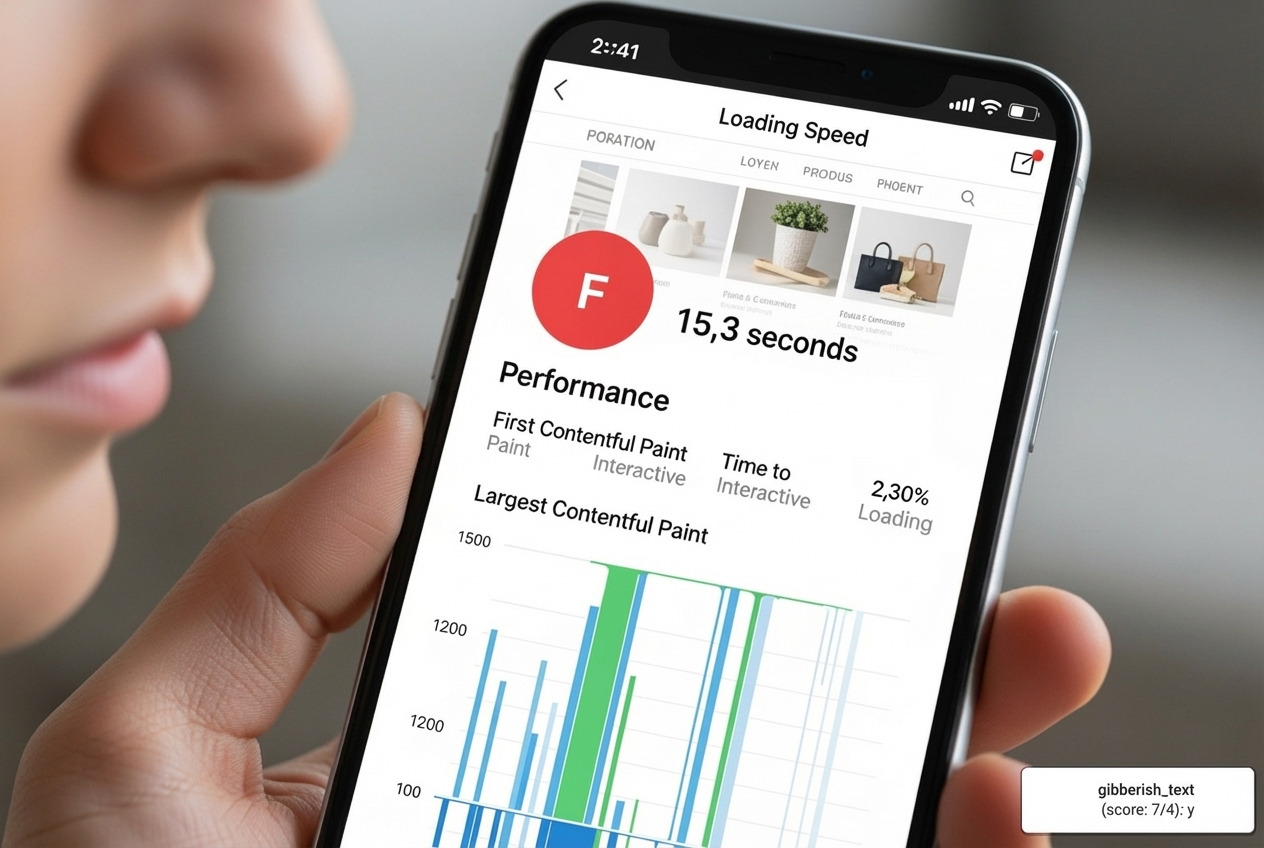
- Bounce Rate and User Frustration: Over half of mobile users will leave a site if it takes more than three seconds to load. This isn’t just an inconvenience; it’s a major cause of high bounce rates. Users are 32% more likely to bounce if a page takes three seconds to load.
- SEO Implications: Google prioritizes fast-loading websites. Page speed is a crucial ranking factor, so optimizing speed not only improves conversions but also boosts your search engine visibility.
- Optimization Strategies:
- Image Compression: Compress every image you upload using tools like ImageOptim to strip away unnecessary data without affecting resolution.
- Caching: Implement browser caching to store parts of your website on a user’s device, making subsequent visits much faster.
- Minify Code: Reduce the size of your CSS, JavaScript, and HTML files by removing unnecessary characters.
- Content Delivery Networks (CDNs): Use a CDN to distribute your content across multiple servers globally, ensuring faster delivery to users regardless of their location.
- Choose a Fast Host: Your web hosting plays a vital role. Our guide on How to Choose a Host for Your Website can help you select a provider that supports optimal performance.
A/B Testing for Continuous Improvement
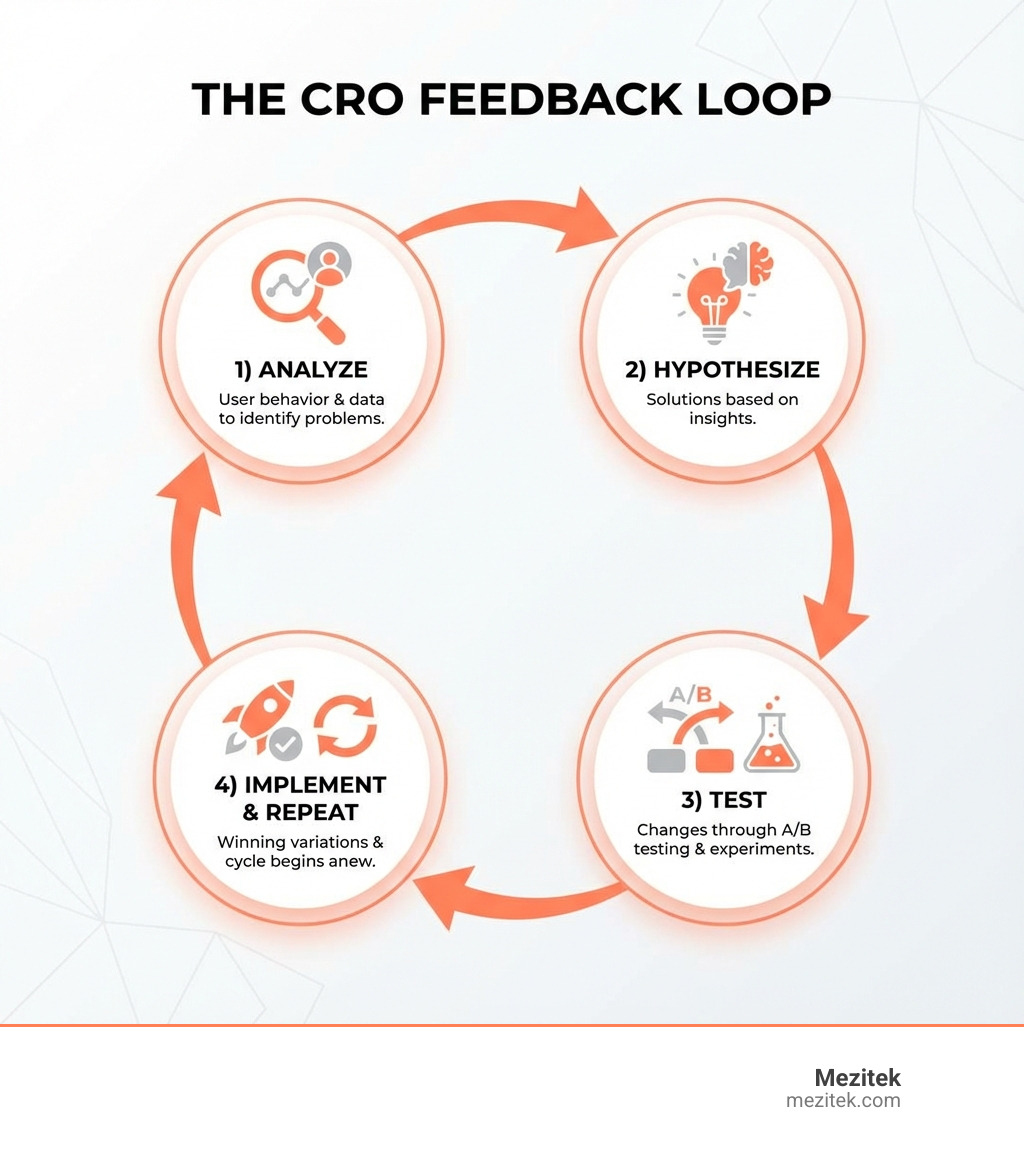
A/B testing is our scientific method for CRO. It allows us to compare two versions of a webpage or element to see which performs better.
- Testing Elements: We can A/B test almost anything: headlines, images, CTAs (color, wording, placement), form fields, page layouts, pricing structures, and even entire web pages.
- Data-Driven Decisions: Instead of guessing, A/B testing provides concrete data to back our optimization efforts. For instance, with A/B testing, you can quickly and easily test different versions of your website copy, content offers, images, form questions, and web pages to determine what your target audience and leads respond to best.
- Hypothesis and Statistical Significance: Every test starts with a hypothesis (e.g., “Changing the CTA button color from blue to green will increase clicks by 10%”). We then run the test until we achieve statistical significance, ensuring the results aren’t just due to chance.
- How to Start Effectively: Many platforms offer built-in A/B testing tools. The key is to test one variable at a time to accurately attribute changes in conversion rates to specific modifications.
Personalize the User Journey
One size rarely fits all. Personalization tailors the user experience to individual visitors, making them feel seen and understood.
- Dynamic Content: Display content that changes based on user behavior, demographics, or referral source. For example, a returning visitor might see a different homepage banner than a new one.
- Personalized Offers: Offer discounts or product recommendations based on a user’s browsing history or past purchases.
- Visitor Segmentation: Divide your audience into segments (e.g., new visitors, returning customers, visitors from a specific ad campaign) and tailor messages and offers to each.
- Impact on Conversions: Personalized calls to action are 202% more likely to convert. By understanding user intent and delivering relevant content, we can significantly boost engagement and conversions.
Specialized Optimization for eCommerce and Lead Generation
While many CRO principles apply universally, some tactics are particularly effective for specific business models.
How to Optimize Website for Conversion by Simplifying Forms and Checkout
The checkout process is where the money is made (or lost!). Friction here is deadly.
- Reduce Form Fields: Only ask for essential information. Every extra field increases the chance of abandonment. One study found that 27% of users will bail on a form if it’s too long. Expedia famously increased profits by $12 million by removing a single, non-essential field from their checkout form.
- Guest Checkout: Don’t force users to create an account before purchasing. Offer a guest checkout option and allow them to create an account after the purchase is complete.
- Autofill and Progress Indicators: Use browser autofill capabilities and provide clear progress indicators for multi-step forms. This reduces effort and manages expectations.
- Simplified Checkout Process: 87% of consumers say that a ‘complicated’ checkout process will make them abandon their shopping cart. Aim for a single-page checkout if possible, or break it into logical, minimal steps. As many as 85% of mobile shoppers will abandon their cart without checking out if the process is not smooth.
How to Optimize Website for Conversion with Urgency, Scarcity, and Popups
These tactics tap into psychological triggers to encourage immediate action.
- Urgency and Scarcity: Create a genuine sense of urgency (e.g., “Limited-time offer,” “Sale ends tonight”) or scarcity (e.g., “Only 3 left in stock!”). Starbucks uses this effectively with their limited-time holiday drink offers.
- Countdown Timers: Visually reinforce urgency with countdown timers for sales or limited-time promotions.
- Exit-Intent Popups: These appear when a user is about to leave your site, offering a last-chance incentive. They can be incredibly effective for capturing hesitant visitors. Effective exit-intent offers include:
- A discount code for their first purchase.
- A free guide or ebook download related to their browsing.
- An invitation to join a waitlist or newsletter.
- A personalized offer based on their cart contents.
Implement Live Chat and Chatbots
Providing instant support can be a game-changer for conversions.
- Instant Support: Live chat allows visitors to get immediate answers to their questions, removing barriers to purchase or inquiry.
- Answering FAQs: Chatbots can handle common questions 24/7, freeing up human agents for more complex issues. 69% of consumers prefer using chatbots because they quickly answer simple questions.
- Lead Qualification: Chatbots can be programmed to ask qualifying questions, helping to identify high-intent leads.
- Proactive Invitations: Trigger live chat or chatbot windows based on user behavior (e.g., after a certain time on a pricing page) to offer help.
Recover Lost Sales with Retargeting and Abandoned Cart Emails
Not everyone converts on their first visit, and that’s okay! We have ways to bring them back.
- Retargeting Ads: These personalized ads are shown to users who have previously visited your website but didn’t convert. They serve as a gentle reminder and can feature specific products the user viewed. United’s retargeting campaign, for example, successfully re-engaged users considering booking a vacation.
- Abandoned Cart Emails and Texts: If a user adds items to their cart but doesn’t complete the purchase, abandoned cart sequences are crucial. Research from Moosend shows abandoned cart emails have a high open rate of 45%, and 21% of those opened are clicked, with half of clickers making a purchase. These emails can remind users of their items, offer a small discount, or address common concerns like shipping costs.
- Multi-channel Retargeting: Combine email, social media ads, and display ads for a comprehensive re-engagement strategy.
Frequently Asked Questions about Website Conversion
We often get asked specific questions about CRO, so let’s tackle some of the most common ones.
Where are the most critical areas on a website to implement CRO strategies?
While every page can be optimized, some areas have a disproportionately large impact on your conversion rates:
- Homepage: This is often the first impression. It needs to clearly communicate your value proposition, guide visitors, and present clear calls to action.
- Pricing Pages: These are high-intent pages. Optimizing pricing displays, offering different tiers, and adding social proof here can significantly boost conversions.
- Landing Pages: By their nature, landing pages are designed for a single conversion goal. They have the highest average conversion rate of all signup forms at 23%.
- Product/Service Pages: These pages are crucial for convincing visitors to take the next step. High-quality media, persuasive copy, and clear CTAs are essential.
- Checkout Process: As discussed, any friction here can lead to abandonment. Simplifying forms and offering guest checkout are critical.
- Blog Posts: While often top-of-funnel, blog posts can be optimized with contextual CTAs and lead magnets to capture interested readers.
Why is mobile responsiveness crucial for conversions?
Mobile responsiveness isn’t just nice to have; it’s absolutely essential.
- Dominant Traffic Source: Mobile traffic hovers around 49.78% of web visits, and for many businesses, it’s over 60%. If your site isn’t mobile-friendly, you’re alienating half your potential audience.
- User Experience: Users on small screens expect a seamless experience. If your site is difficult to steer, has tiny buttons, or requires excessive pinching and zooming, they will quickly leave.
- Loading Speed: Mobile users often have less patience and may be on slower connections. We’ve already seen that over half of mobile users will leave a site if it takes more than three seconds to load.
- Google’s Mobile-First Indexing: Google primarily uses the mobile version of your content for indexing and ranking. A poor mobile experience can negatively impact your SEO, reducing visibility and traffic.
In short, if your website isn’t optimized for mobile, you’re losing conversions and potentially hurting your search rankings.
What are some expert tips for improving conversion rate optimization?
Here are some expert tips we’ve gathered from years of helping businesses optimize website for conversion:
- Focus on Your Value Proposition: Always start by clearly defining and communicating what makes you unique and why customers should choose you. This underpins all other CRO efforts.
- Prioritize High-Traffic, High-Impact Pages: Don’t try to optimize everything at once. Start with pages that get a lot of visitors or are critical to your main conversion goals. Small improvements here can yield significant results.
- Understand User Intent: Why are people visiting your site? What problems are they trying to solve? Tailor your content and offers to match their intent.
- Remove Friction, Everywhere: Look for any element that might cause hesitation, confusion, or extra effort for the user. This includes long forms, unclear navigation, slow loading times, or hidden costs.
- Always Be Testing: CRO is an ongoing process. What works today might not work tomorrow. Continuously run A/B tests, analyze results, and iterate. This systematic approach ensures sustained improvement.
- Integrate CRO and SEO: While distinct, CRO and SEO are complementary. SEO brings qualified traffic, and CRO ensures that traffic converts. Optimize for both.
Conclusion: Start Optimizing Your Website Today
Optimizing your website for conversion is not a one-time fix; it’s a continuous journey of understanding your audience, testing hypotheses, and refining your online presence. By focusing on a data-driven approach, user-centric design, and strategic implementation of the tactics we’ve discussed, you can turn more visitors into valuable leads and customers.
Even small changes can lead to big impacts on your bottom line. For freelancers and small business owners, this means building more effective websites for your clients and for yourselves—websites that truly drive growth.
Ready to dive deeper into building and managing high-performing websites? Explore more web design strategies and guides on our site to continue your journey.